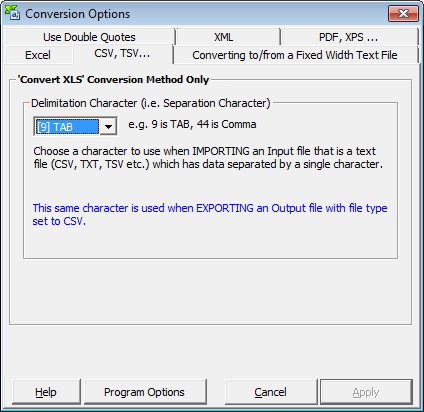
What is a CSV FileDefinition 1: A CSV file is commonly described as a ‘Comma Delimited File’ or a ‘Character Separated File’. The second description is more accurate since any character including the comma, can be used to delineate each piece of data. For example, a TSV file, ‘commonly known as a ‘Tab Delimited File’, is really just a special case of a CSV file. Since a CSV file is a simple text file (ASCII or Unicode) it can be easily opened by Notepad.exe which is included in all versions of MS Windows. A typical CSV file, where a comma is used to distinguish each record, looks like this in Notepad.exe: Name1,Address1,Telephone1 Or if the "|" bar character is used to separate the data, it might look like:
Name1|Address1|Telephone1 Definition 2: A CSV file is a text file that has a specific format which allows for the saving of textual information/data in an organized fashion. The format, known as a flat table, is very simple. Each row (paragraph) contains one record of information; each record can contain multiple pieces of data (fields) each separated by a character. The character used to distinguish each piece of data within each record is most commonly a comma, but can be any character. Softinterface has sophisticated and easy to use tools to manipulate (i.e. change delimitation character, padding, etc) and convert to/from CSV files. Click below for your specific need: Manipulation of CSV FilesConversion of CSV FilesNot sure which product of ours to use? Click here. |
|
Copyright © 1999-2010 by SoftInterface, Inc. All rights reserved. |